02 / 12 · Technician mobile app
The job, the shift and the paperwork on one phone — signal or not.
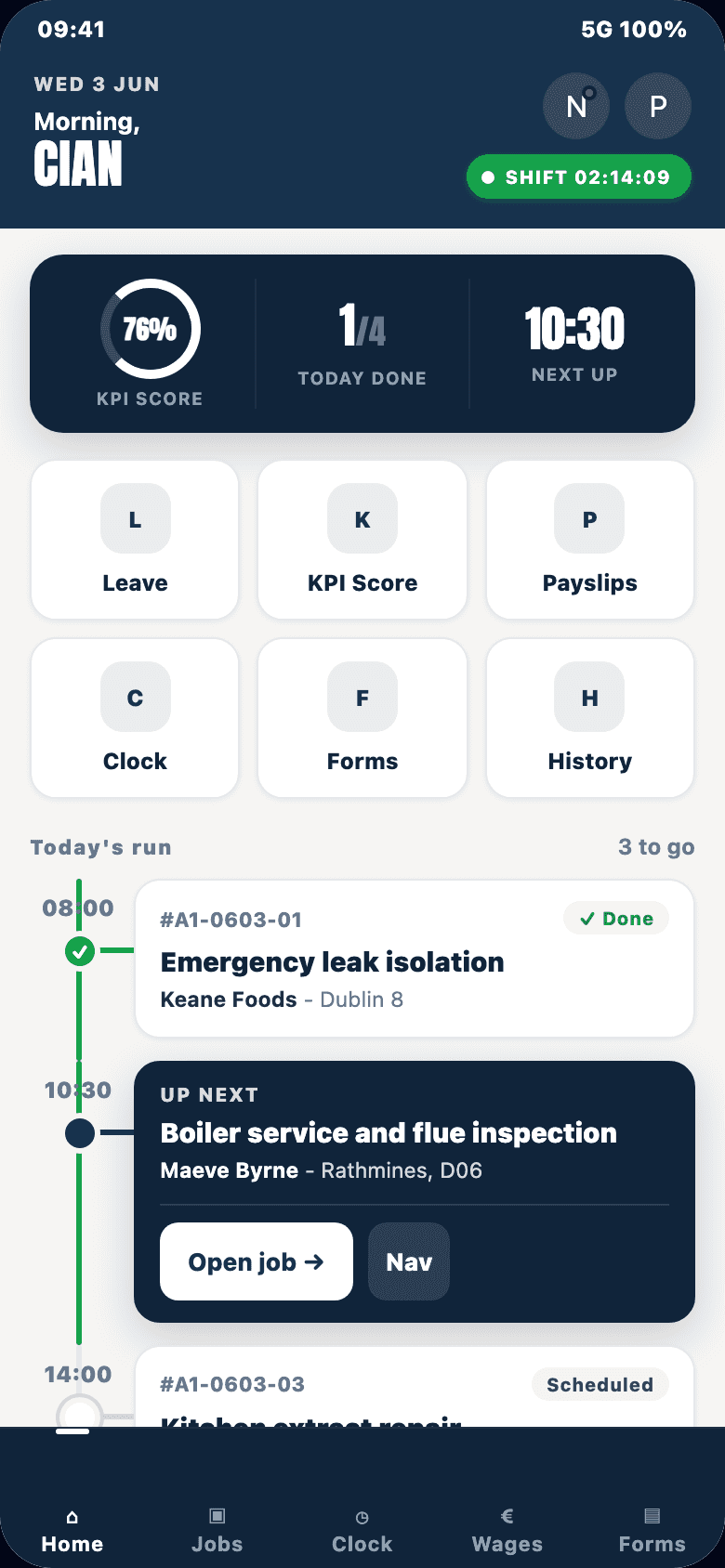
The technician app takes a crew member from clock-in to the last signature of the day. Everything saves on the phone first, so a basement or a dead zone never stops the work.
In detail
Their day at a glance
- Today’s jobs on a timeline, with the arrival window, the scope, drive time between jobs and a live ETA to the next one.
- Call, message or open Google Maps directions to the customer in one tap.
- Upcoming jobs show only the address; customer contact details appear on the day of the job.
Working a job
- A simple four-step flow: Route, Start, Working, Signed off.
- Before and after photos, geotagged and time-stamped, from the camera or gallery.
- Parts used, notes for the office, and documents such as certificates and delivery dockets (images, PDF, Word or Excel, up to 15 MB).
- Pause with a reason — break, lunch, parts run, waiting on access, office call — and an expected return time.
- Can’t finish? Pick a reason (reschedule, failed, needs a second technician) and the office is alerted straight away.
- Need longer? Add 30, 60 or 90 minutes and the day’s schedule updates.
- Shared jobs: each technician signs off their own part.
Sign-off that stands up
- Customer rating from 1 to 5 and an on-screen signature with the signer’s name.
- The app checks the essentials before closing: after photos, required forms, a completion note, and the signature where you require one.
- Signing off closes the job and starts the invoice.
Safety and forms
- A point-of-work risk assessment that must be completed before work starts.
- Your own forms, designed in the office and filled in offline: checklists, photos, signatures, GPS location, ratings and more.
- A daily vehicle check or morning form before clock-in, for the technicians you choose.
- Asset registration by QR code.
Clocking in and out
- Clock in with GPS and, for van drivers, the opening odometer reading.
- Breaks, overtime and a full shift breakdown (working, travel, on site, break, idle) on one screen.
- Gentle nudges: a break reminder after 3 hours on shift and clock-out reminders at 10 and 12 hours.
Their own records
- Wages: pay period, standard and overtime hours, year to date — always matching what payroll pays.
- Leave requests, checked against scheduled jobs so nobody books leave over work.
- Receipts for fuel, materials and tools, photographed on the spot.
- A weekly performance score.
- Office broadcasts, with an acknowledge button on urgent ones, and a push alert when a new job lands on their shift.
Built to keep working
- Offline-first: photos, notes, parts, forms, sign-offs and clock events queue up and send automatically when signal returns.
- When online, the office sees each change within a few seconds.
- Improvements install automatically when the app opens.
- One device per technician, and the job data stored on the phone is encrypted.
- Location is recorded only between clock-in and clock-out, with a visible “On shift” notice the whole time.
- Technicians never see quotes, invoice totals or customer prices.
See your whole operation on one screen.
We walk through dispatch, the technician app and the profit on a job you have already done. Bring one real quote and one real day's schedule.
Book a demo