Field-service software · Dublin, Ireland
From booking to paid: every job, every van, every euro.
FieldFlow connects your office, your technicians' phones and your customers. Book jobs, dispatch crews, see vans live on a map, capture photos and signatures on site, send quotes and invoices with the right Irish VAT, and see the real profit on every job.
Sample day · Dublin
Dara Walsh
#4790 Boiler service · Rathfarnham
En route · estimated 16 min to site
Four apps, one record
Office staff, technicians, customers and letting agencies each get an app.
Office staff
Office web app
Dispatch, jobs, quotes, invoices, payroll and the Command Centre.
Technicians
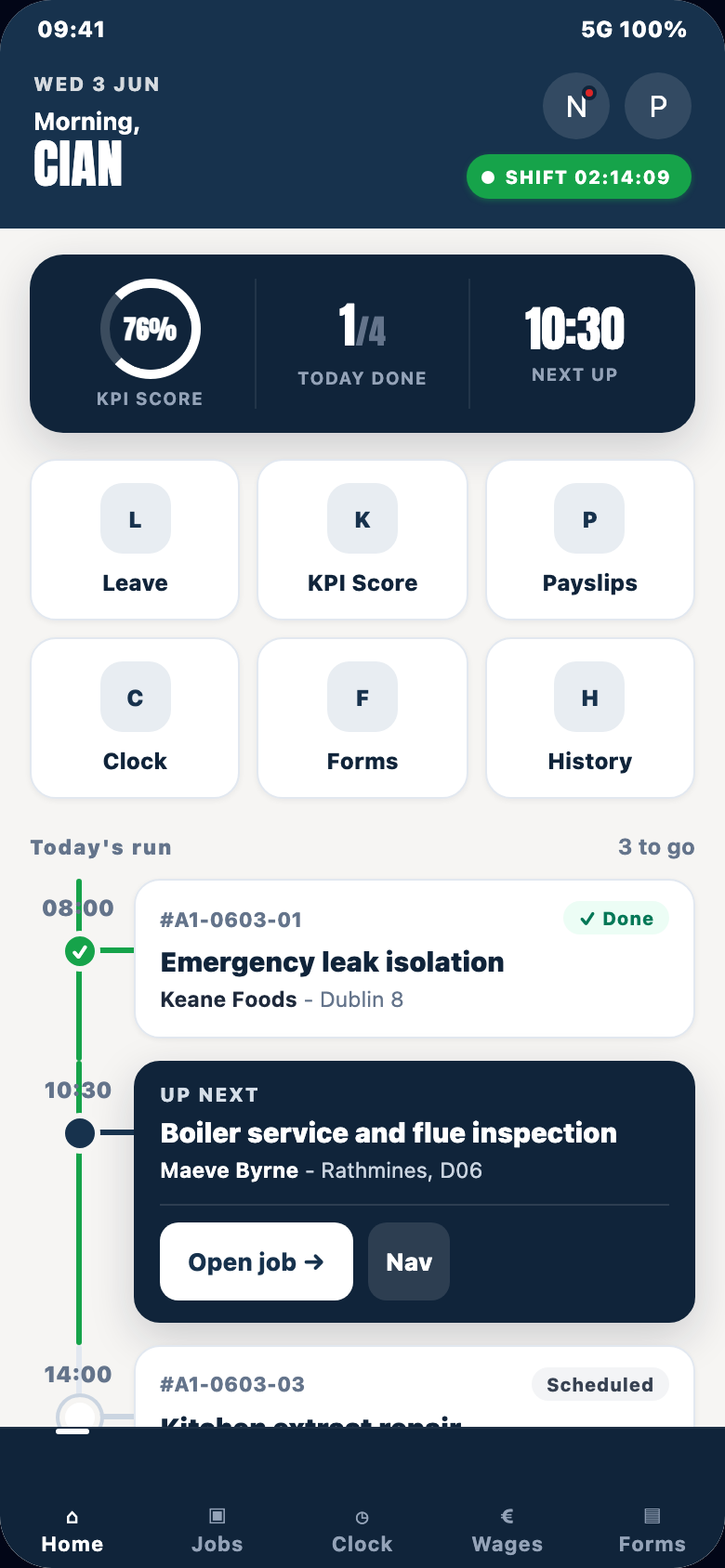
Technician mobile app
Route, Start, Working, Signed off — offline-first on Android.
Customers
Customer portal
Sites, jobs with photos, invoices, assets and site issue reports.
Letting agencies
FieldFlow KPA
Inspections, issues, compliance and repair approvals.
One record, three directions
Office
Books the job, allocates a technician, prices it and invoices it.
Allocation is silent — the van's app pulls the job
Van
Routes, starts, photographs, records parts and signs off — offline if needed.
Status and GPS reach the office in 2–4 seconds when online
Customer
Books online, tracks the van, signs on site, pays from the invoice.
Sees only their own jobs, always the balance due
Jobs from booking to payment
One job, nine states. Everyone sees the same one.
Who it is for
Businesses that send skilled people to customers' sites.
- Trades and maintenance companies with an office team and technicians in vans: one place for bookings, dispatch, timesheets, invoices and payroll.
- Teams that run long or shared jobs. Multi-day work, crews of several technicians on one job, and milestone billing are built in, not bolted on.
- Owners who want the numbers. See margin per job, cost per kilometre, overhead per hour and what payroll will really pay, before month end.
- Letting agencies and property managers. The FieldFlow KPA app and the customer portal handle property inspections, issues, appointments and compliance, and turn approved issues into booked jobs.
- Commercial customers. A customer portal shows their jobs, invoices and payments, and lets them report site issues directly.
The platform
Twelve areas. Each one is a page.
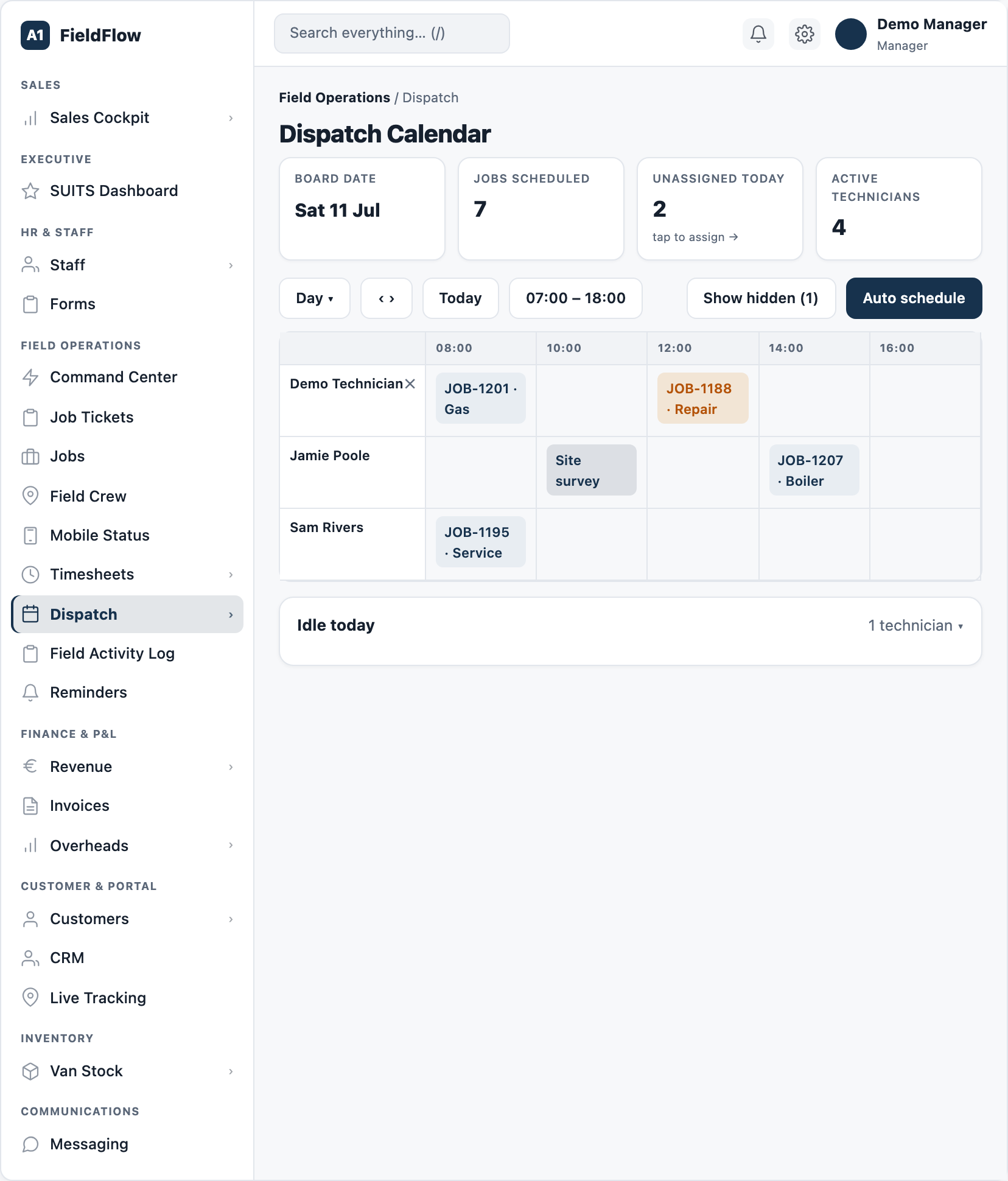
- 01See every technician's day, and change it with a drag.Dispatch board, auto schedule, Need Dispatch queue, crew jobs
- 02The job, the shift and the paperwork on one phone — signal or not.Route, Start, Working, Signed off — offline-first
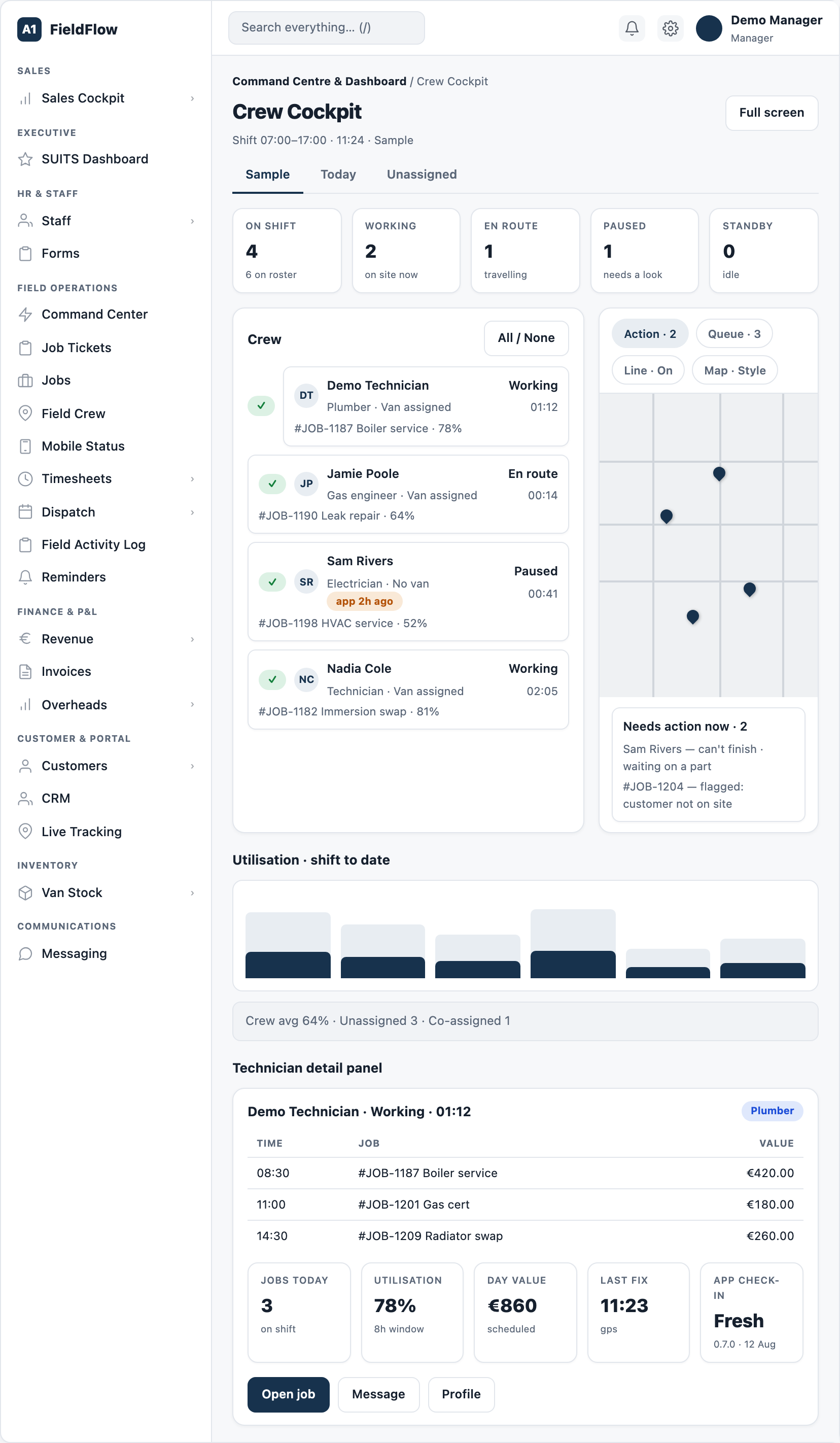
- 03Know where every van is and what every technician is doing, right now.Live van map, wallboard, Field Crew cockpit, location history
- 04Quote it, win it, bill it, get paid — with the VAT right first time.Two-thirds VAT rule, online acceptance, Stripe and BACS
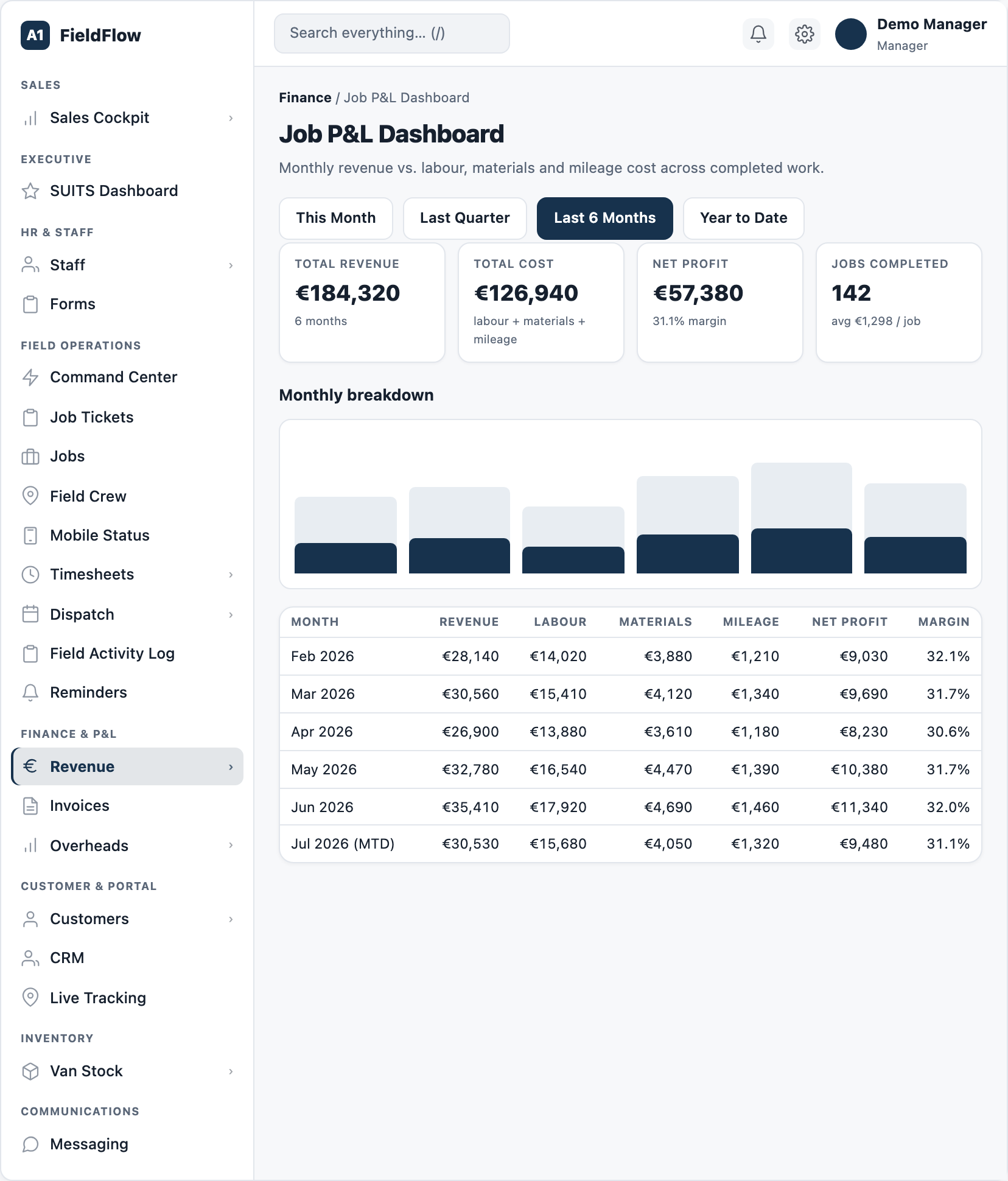
- 05Know what every job really made.Profit per job, P&L dashboards, overheads and fleet costs
- 06Pay people right, from the hours they actually worked.Certified time, pay that matches the work, leave and documents
- 07Keep customers in the loop without picking up the phone.Online booking, live tracking link, portal, site issue QR posters
- 08Turn enquiries into booked work, and keep the whole team on the same page.Pipeline, forecast, broadcasts, staff chat, WhatsApp
- 09Know what is on every van before it leaves the yard.Van stock, parts catalogue, purchase orders, fleet register
- 10Safety checks done before the work starts, and proof kept after it ends.Form designer, risk assessments, GDPR dashboard, asset health
- 11Answers from your own data, without a spreadsheet.Report builder, Money and People dashboards, Setup and Health
- 12Inspect, report, repair, approve — one app for every property you manage.Property inspections for letting agencies
Built for Ireland
Built inside a working Irish trades business.
- Eircode everywhere. Customer, lead and booking forms take the Eircode in its own field and check it is valid.
- The two-thirds VAT rule, worked out for you. As a quote is built, FieldFlow checks the goods share: if materials are more than two-thirds of the net total, the 23% standard rate applies to the whole quote; otherwise the 13.5% reduced rate. Staff can override it, including 0% for exempt work.
- VAT is never counted as profit. Margin and profit figures use ex-VAT revenue, while invoices still show the VAT-inclusive total the customer pays.
- BACS as a first-class payment. Invoices carry your bank details and reference. When a customer says they have paid by transfer, the office approves it in one step and the invoice is marked paid.
- Irish time, all year. Schedules, today's job lists and live dashboards run on Dublin time and handle the clock changes automatically.
- Euro throughout, with GDPR built into how customer data is stored.
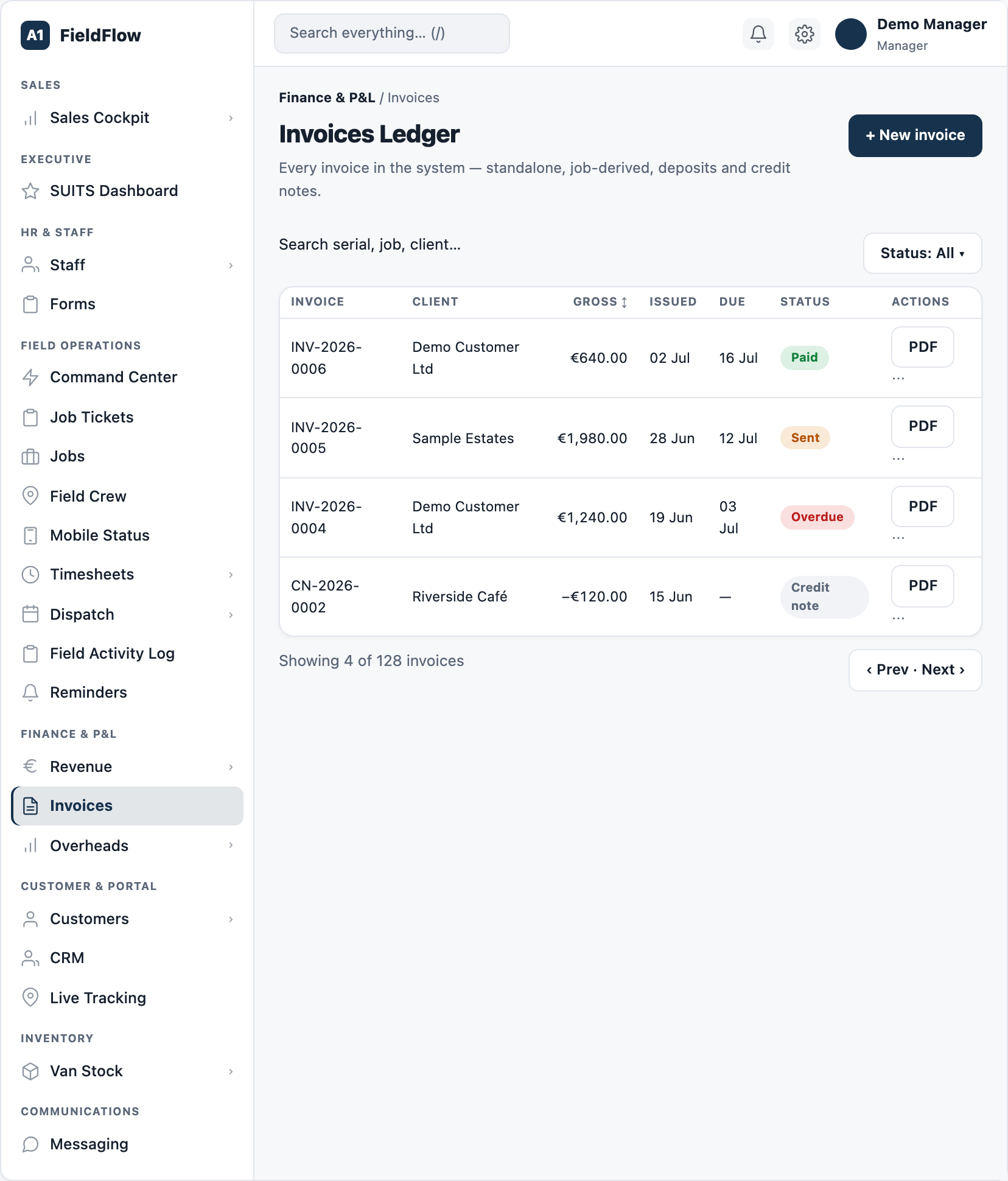
See your whole operation on one screen.
We walk through dispatch, the technician app and the profit on a job you have already done. Bring one real quote and one real day's schedule.
Book a demo