07 / 12 · Customer experience and portal
Keep customers in the loop without picking up the phone.
From the first booking to the final receipt, customers get clear updates, private links and a portal of their own — so your office answers fewer "where is he?" calls.
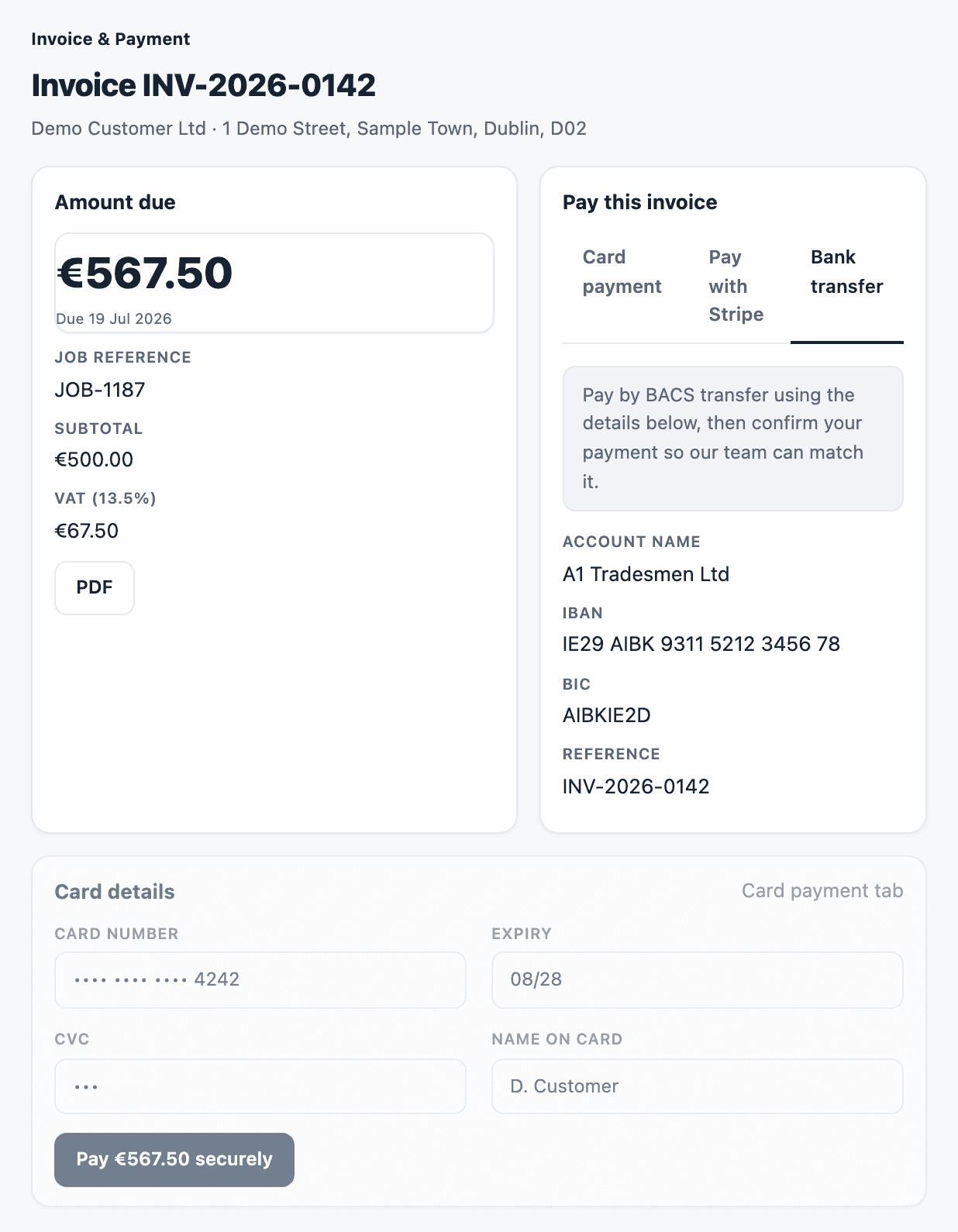
Paying by card opens Stripe's secure checkout: card details go to Stripe and never reach FieldFlow.
In detail
Online booking
- A three-step booking form with no login: about you, your job, and when — with morning, midday or afternoon windows.
- Eircode is required and checked; address lookup fills in the rest.
- The customer gets a booking reference and a “booking received” email straight away; the office gets the enquiry.
- Built-in spam protection, without storing visitors’ IP addresses.
Updates at every step
- Booking confirmed, job updated and job cancelled emails, each linking to a private job page with the status, time window, technician’s first name and the price with VAT.
- An optional “on the way” email with a live tracking link: the technician’s name and trade, van registration, the planned route on a map, the van’s position refreshing every 10 seconds, and an estimated arrival time.
- Invoice emails with your bank details, a pay link and the PDF attached, always showing the balance still due.
- Edit the wording of 13 customer emails with live previews. Layout, links, amounts and bank details stay locked, so an edit can never break a pay link or drop a PDF.
The customer portal
- Sites: each of the customer’s sites on a map, with its jobs and a “Request a visit” button.
- Jobs: open, completed and cancelled jobs, each with a timeline, before and after photos, documents and notes.
- Invoices: the balance left to pay, payment by card, or a quick “I’ve paid by transfer” claim for your office to approve.
- Site issue reports: print a QR poster for each site. Anyone on site scans it and reports a problem with photos, choosing from 18 issue types and routine, urgent or emergency priority. The customer approves it in the portal — with a PO number if they need one — and it becomes a job for your office to schedule.
- Assets: equipment grouped by location, with the next service due and overdue badges.
- Reports: year-to-date spend by site and by type of work.
- Notes and account: leave a note for your team, change password, and choose email notifications.
- Your admins can open a customer’s portal read-only to help them, for up to 2 hours, and every visit is logged.
Paid portal plans and co-branding
- Offer the portal as a paid service: monthly, quarterly or annual plans, paid by card or BACS, with VAT added.
- Choose which portal sections each plan includes.
- Billing runs itself: BACS invoices are created and emailed, and card payments are recorded as paid invoices.
- If a payment is missed, a grace period (14 days by default) applies, then the portal turns read-only — the customer can still see everything and pay.
- Co-branding: the customer’s own logo and colour on their portal, tracking, quote and billing pages and emails.
See your whole operation on one screen.
We walk through dispatch, the technician app and the profit on a job you have already done. Bring one real quote and one real day's schedule.
Book a demo