03 / 12 · Live tracking and Command Centre
Know where every van is and what every technician is doing, right now.
FieldFlow turns what happens on technicians' phones into a live picture for the office — on a desk screen or a wall TV — a few seconds after it happens when online.
In detail
Command Centre wallboard
- A live office screen built from 14 widgets you can drag and resize: KPI tiles, a timeline lane per technician, profit health, a critical queue and an activity stream.
- Every technician’s live status: en route, on site, survey, working, paused (with the reason), standby or off shift.
- Phone-to-screen in about 2 to 4 seconds when online.
- A technician is flagged as stale after 5 minutes without a location update.
- Shifts running long are listed with a one-click check-out request.
- Full-screen mode for a wall-mounted display.
Field Crew cockpit
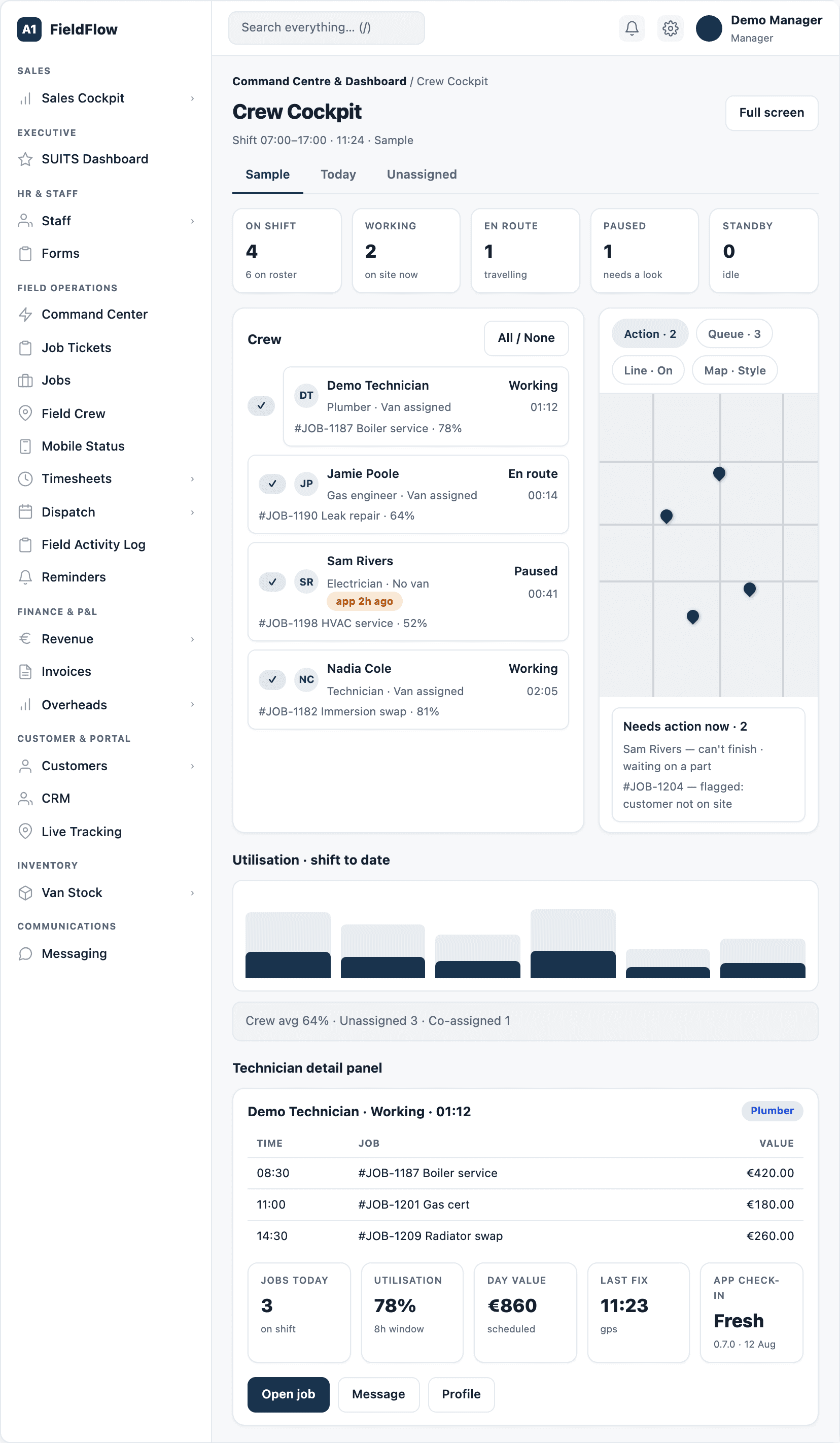
- A full-screen crew map with Live, Today and Unassigned views, and counts for on shift, working, en route, paused and standby.
- Click a technician for their current job, day timeline, jobs today, utilisation, last GPS fix and app health.
- Route lines snapped to the road, and action chips for can’t-finish and flagged jobs.
- Shows names and job numbers only — no customer addresses or phone numbers on screen.
Location history
- Look back 1 to 48 hours, or pick a day: the map trail, a route timeline slider with each sign-off marked, and a table.
- The live view refreshes every 15 seconds, and a GPS heatmap shows where the work is.
Today workspace
- A start-of-day page shaped to each role — technician, sales, office or manager — with key numbers and an action centre of urgent and upcoming items.
- Office and managers see jobs needing allocation and accepted quotes; managers also see payment claims waiting for review.
Tracking you can rely on
- Location runs only while a technician is clocked in, and keeps running with the screen locked or the app closed, and after a phone restarts.
- Phones that go quiet are woken automatically.
- Mobile Status shows each phone’s health — low battery, power saver, notifications off, no network or an old app version — so problems are fixed before they cost a day’s data.
- Staff alerts pop up for urgent events, and critical ones stay on screen until someone acknowledges them.
See your whole operation on one screen.
We walk through dispatch, the technician app and the profit on a job you have already done. Bring one real quote and one real day's schedule.
Book a demo