05 / 12 · Job profitability and finance
Know what every job really made.
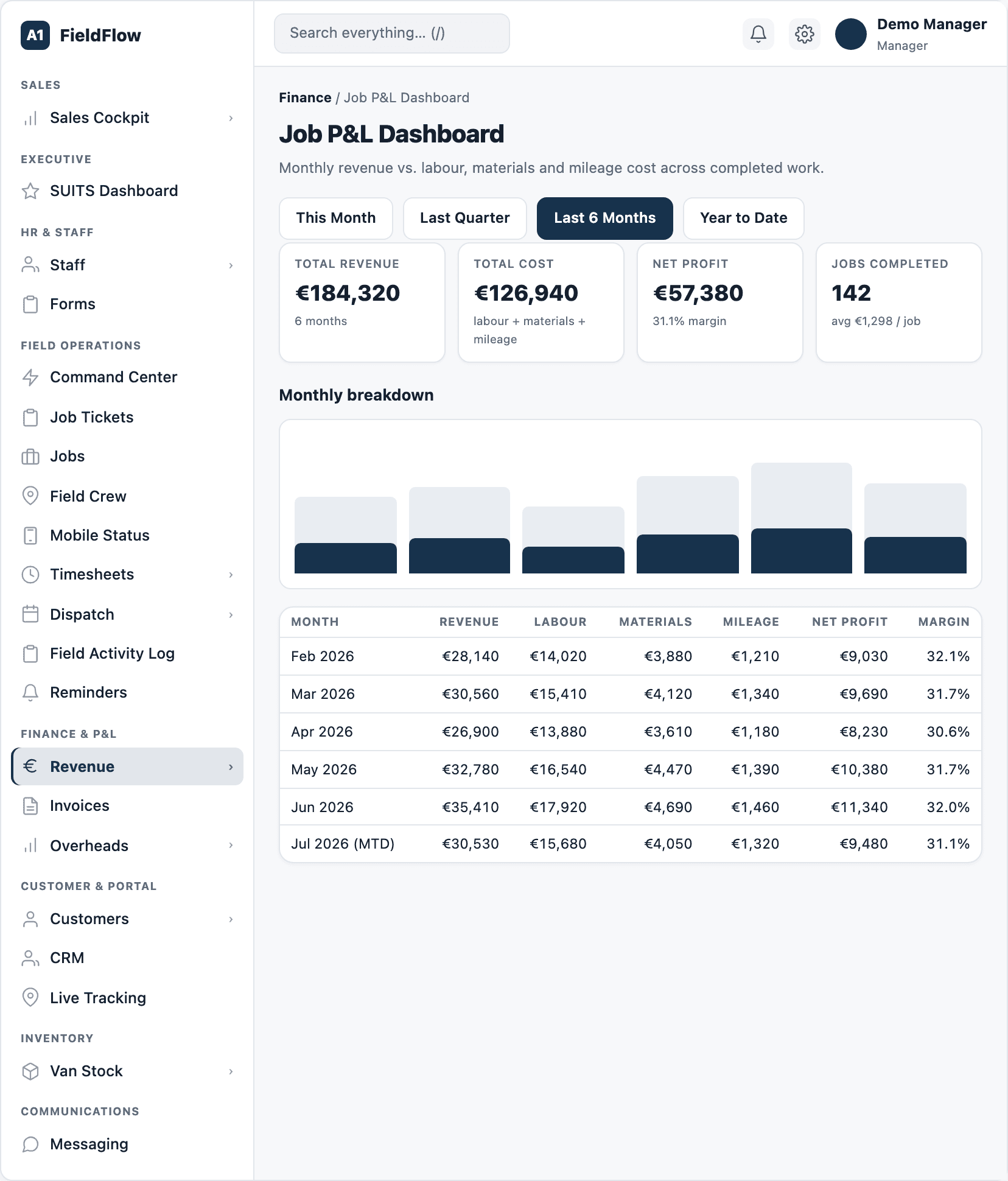
FieldFlow costs each job as it happens — labour from real clock times, parts used, mileage and a share of overheads — so profit is a number on screen, not a guess at month end.
In detail
How a job’s profit is worked out
- Revenue: the job’s share of its invoices, always excluding VAT. On long milestone jobs, revenue is earned as the work progresses.
- Labour: each technician’s paid time at their own rate, plus any overtime premium.
- Materials: the parts recorded on the job.
- Overheads: a fair share of your fixed costs for each day worked.
- Fuel: kilometres driven, from GPS, at the van’s fuel use and price.
- Profit shows as provisional while work is being checked, and final once every technician’s work is certified.
Dashboards
- Job P&L: revenue, labour, materials, overheads and margin by month, with colour bands for healthy and weak margins.
- Revenue: invoiced this month and today, average margin, money owed, 12 months of revenue against cost, a daily billing heatmap, and a what-if slider for overheads.
- Technician earnings: the net profit each technician brings in, with shared jobs split by hours worked.
Running costs under control
- An overheads register for every fixed cost, monthly to annual, with renewal dates.
- Overhead per hour: see what each working hour has to cover.
- Vehicle cost per kilometre for each van, from fuel and insurance, with warning levels.
- Fuel-card statements imported from CSV or Excel and matched to vans by card number.
- An odometer log that flags readings that go backwards or jump suspiciously.
- Expense receipts for fuel, materials, tools and travel, uploaded by office staff and technicians.
See your whole operation on one screen.
We walk through dispatch, the technician app and the profit on a job you have already done. Bring one real quote and one real day's schedule.
Book a demo